



What Causes Conference Rooms to Overheat During Meetings?
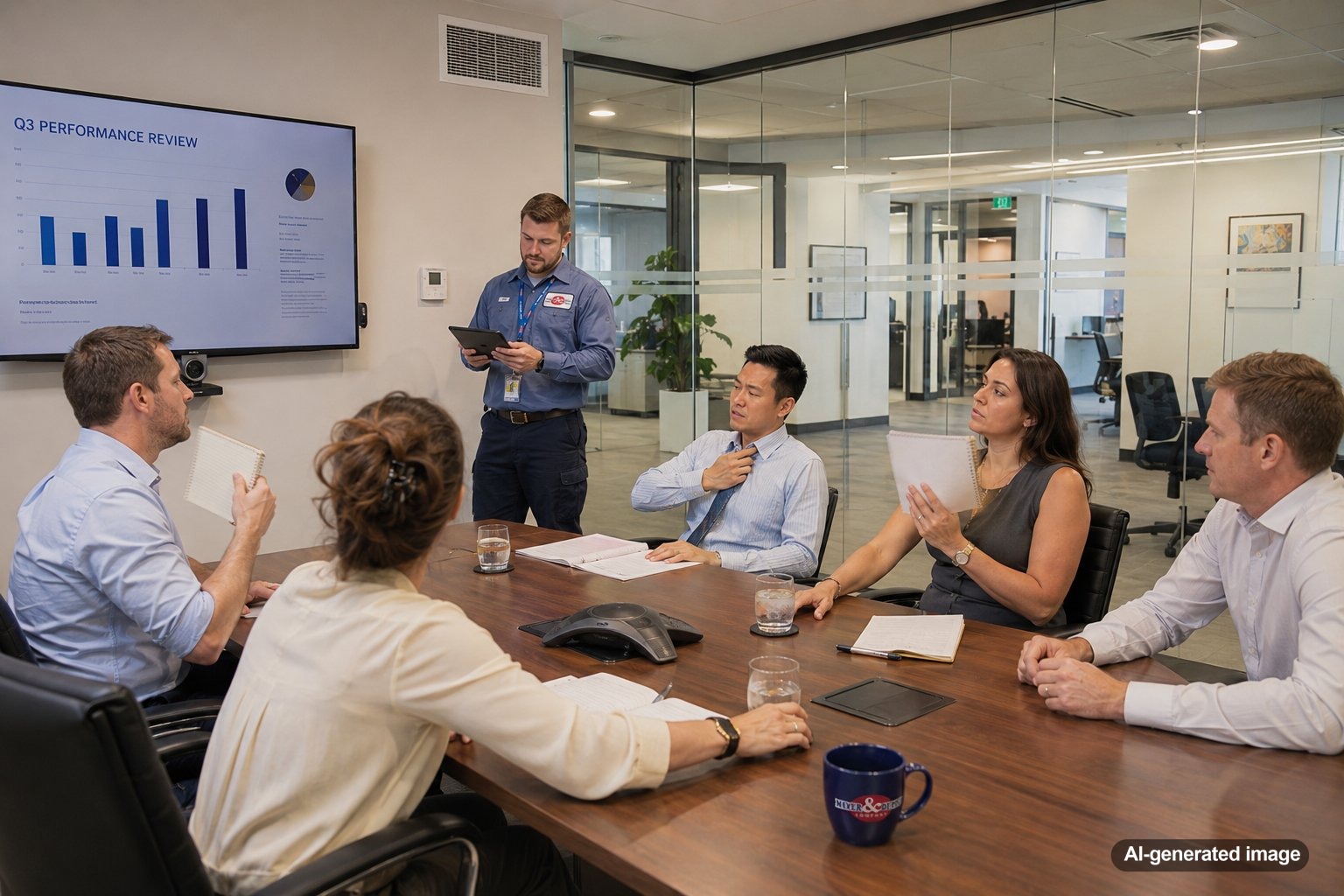
Conference rooms often overheat during meetings because several heat sources enter a relatively small, enclosed space at the same time. People produce body heat, laptops and displays release additional heat, doors remain closed, and the room’s HVAC system may not receive enough airflow to keep up. A room that feels comfortable when empty can become stuffy and several degrees warmer after ten or fifteen people sit down for an hour.
For businesses in Central and Northern New Jersey, the problem may become more noticeable during humid summer weather, especially when the building’s cooling system is already working near its peak. Persistent conference room overheating can point to an airflow, control, ventilation, zoning, or equipment issue that deserves a closer look from a qualified commercial HVAC professional.
Conference rooms usually overheat because occupancy and electronic equipment add heat faster than the HVAC system removes it. Closed doors, inadequate supply airflow, poorly located thermostats, limited return airflow, scheduling problems, and system design limitations can make the temperature rise even faster.
Occupants Add More Heat Than Many Systems Anticipate
An empty conference room has a very different cooling load than a room filled with employees, clients, or vendors. Every person releases heat into the space. As attendance increases, the cooling demand can change quickly, even if the rest of the office remains comfortable.
This is one reason the problem may appear only during larger meetings. A room designed for six people might regularly hold twelve. The HVAC system may be operating normally based on the original design, yet it cannot respond fast enough to the actual number of occupants.
Meeting duration also matters. A short conversation may end before the temperature becomes uncomfortable, while a ninety-minute presentation gives heat and humidity more time to accumulate.
Computers, Displays, and Other Electronics Release Heat
Conference rooms contain more heat-producing equipment than they did years ago. Large displays, projectors, video conferencing systems, charging laptops, speakerphones, lighting, and control panels all release heat while operating.
The impact may be modest when equipment is off and the room is unoccupied. During a meeting, however, several devices may run at once. A room with ten laptops, a large screen, bright lighting, and a video conferencing system can develop a noticeably higher cooling load.
Equipment cabinets can add another complication. If audiovisual components are installed in an enclosed cabinet without adequate ventilation, heat may build up inside the cabinet and then spread into the room.
The Room May Not Receive Enough Supply Air
Even when the main HVAC system is functioning, the conference room may not receive enough conditioned air. Common possibilities include partially closed dampers, restricted ductwork, improperly balanced air distribution, blocked supply vents, or a layout that no longer matches the original design.
Furniture can also interfere with airflow. Tall cabinets, screens, ceiling-mounted features, or decorative panels may disrupt how cooled air circulates. If supply air enters the room but never reaches the occupied area effectively, people may feel hot while the ceiling area remains cooler.
Air balancing is especially important in commercial buildings where several rooms share the same system. Increasing airflow to one area without evaluating the entire system can create new comfort problems elsewhere, so adjustments should be made carefully.
Return Airflow Can Be Restricted
Conditioned air must have a clear path back to the HVAC system. If a conference room has inadequate return airflow, pressure can build when the door is closed. That pressure may reduce the amount of supply air entering the room.
Some offices rely on a central return grille located outside the conference room. In that arrangement, air may need to pass beneath the door or through a transfer grille. Thick carpeting, door sweeps, renovations, or soundproofing changes can unintentionally restrict that path.
A professional evaluation can determine whether the room has an appropriate return-air pathway without compromising privacy, sound control, or fire-safety requirements.
The Thermostat May Not Sense Conference Room Conditions
Many conference rooms do not have their own thermostat or temperature sensor. Instead, they share a control zone with hallways, private offices, reception areas, or open workspaces. The thermostat may be located in an area that remains comfortable while the conference room gets warmer.
For example, a thermostat in a quiet corridor may read 72 degrees while a closed meeting room nearby feels significantly warmer. Since the control system does not detect the rising conference room temperature, it has no reason to increase cooling.
Commercial zoning, remote sensors, occupancy-based controls, or a properly designed variable air volume system may improve control in some buildings. The right solution depends on the existing HVAC equipment, ductwork, controls, and room usage.
Meeting Schedules May Conflict With HVAC Schedules
Commercial HVAC systems are often programmed around normal operating hours. Problems can occur when meetings begin early, run late, or take place on weekends while the building is in an energy-saving mode.
The system may also reduce airflow during periods when occupancy is expected to be low. If a large meeting starts without an appropriate schedule override, the room may already be warm before attendees arrive.
Facility managers should compare complaint times with building automation schedules. A pattern of overheating at the same time each day can provide a useful clue. Control changes should still be reviewed carefully so the system does not run unnecessarily across the entire building.
Sun Exposure Can Create a Localized Heat Load
Conference rooms with large exterior windows may gain substantial heat from direct sunlight. The effect can vary by time of day and season. An east-facing room may overheat during morning meetings, while a west-facing room may become uncomfortable late in the afternoon.
Blinds, shades, window films, and glazing improvements may help manage solar heat gain, but they do not correct inadequate HVAC capacity or airflow. If the room consistently overheats even with shades closed, the mechanical system and controls should also be evaluated.
Ventilation Requirements Can Affect Comfort
Conference rooms need adequate outdoor air when occupied. Bringing in outdoor air supports ventilation, but that air must also be conditioned. During hot and humid New Jersey weather, the HVAC system must remove both sensible heat and moisture from incoming air.
If ventilation is insufficient, the room may feel stale and occupants may describe the space as stuffy. If outdoor air is introduced without adequate cooling and dehumidification, the room may feel warm or humid. Proper performance requires a balance among ventilation, temperature control, airflow, and humidity management.
The HVAC System May Be Dirty, Aging, or Poorly Maintained
A conference room complaint can sometimes be an early sign of a broader system issue. Dirty filters, fouled coils, worn components, control problems, or deferred maintenance may reduce cooling performance throughout the building. The most heavily occupied room may show symptoms first because it has the highest temporary load.
Facility teams should consider whether other areas have also become warmer, whether airflow seems weaker than usual, and whether the system runs for long periods without achieving the desired temperature. A commercial HVAC maintenance plan can help keep inspections and routine service on a consistent schedule, although maintenance cannot prevent every comfort issue or breakdown.
Safe Checks Facility Teams Can Make
- Confirm that supply and return vents are open and not blocked by furniture, displays, or stored materials.
- Compare the conference room temperature with nearby areas before, during, and after a meeting.
- Note how many people were present and which electronic devices were operating.
- Review the HVAC schedule to confirm that cooling is active during the meeting.
- Check whether direct sunlight corresponds with the times the room becomes warm.
- Inspect accessible air filters according to the building’s maintenance procedures.
Avoid opening sealed HVAC equipment, changing internal controls, modifying dampers without system knowledge, or performing electrical work. Commercial systems are interconnected, and an adjustment intended to help one room may reduce comfort or airflow elsewhere.
When to Schedule a Professional HVAC Evaluation
Professional service is appropriate when overheating happens repeatedly, airflow is noticeably weak, the room cannot recover after meetings, humidity is elevated, or several building areas are becoming uncomfortable. A qualified technician can evaluate airflow, temperatures, controls, dampers, duct conditions, ventilation, system capacity, and equipment operation.
The best correction is not always a larger air conditioner. Depending on the findings, the solution may involve air balancing, control changes, a remote sensor, zoning improvements, duct modifications, ventilation adjustments, equipment service, or a dedicated system for the room. In some buildings, technologies such as VRF systems may be considered as part of a larger renovation or comfort strategy.
Frequently Asked Questions
Why does the conference room get hot when the rest of the office is comfortable?
The conference room may have a much higher temporary heat load because of occupants and electronics. It may also share a thermostat with a less active area, receive inadequate supply air, or lack a clear return-air path when the door is closed.
Will leaving the conference room door open solve the problem?
An open door may temporarily improve air movement, but it is not a reliable correction. It may interfere with privacy, noise control, and meeting use. Persistent overheating should be evaluated to identify the underlying airflow or control issue.
Can a portable fan help?
A fan may improve air movement and make occupants feel more comfortable, but it does not remove heat or humidity from the room. It should not be treated as a substitute for correcting inadequate cooling, ventilation, or airflow.
Does the room need its own thermostat?
Not necessarily. A separate sensor, zoning adjustment, occupancy control, air-balancing correction, or other strategy may be more appropriate. The best option depends on the building’s HVAC design and how the room is used.
Could the HVAC system be too small?
It is possible, particularly if the room’s occupancy or equipment load has increased since the system was designed. However, airflow restrictions, controls, scheduling, and maintenance issues should also be evaluated before concluding that additional capacity is needed.
Conference rooms overheat because their cooling needs change dramatically when people gather, electronics turn on, and doors close. Tracking when the problem occurs and arranging a professional evaluation can help separate an isolated room issue from a wider commercial HVAC concern.
Need commercial HVAC support in New Jersey?
Meyer & Depew works with businesses, organizations, and commercial properties throughout Central and Northern New Jersey.
Learn more about commercial HVAC maintenance plans.