


Why Photos and Videos Can Help Explain AC Problems
Estimated reading time: 6 minutes
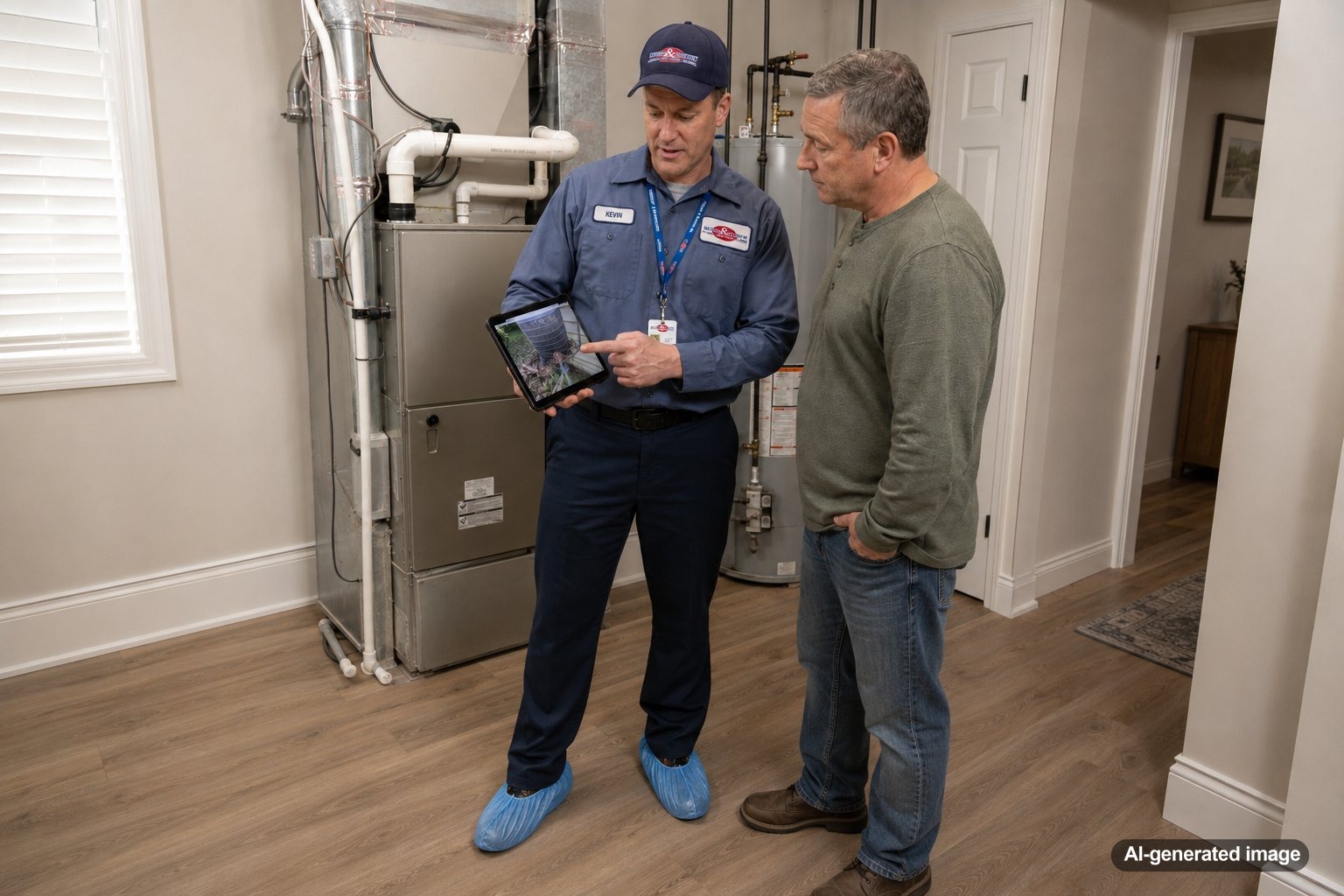
Photos and videos can give an HVAC technician useful context when an AC problem is intermittent, difficult to describe, or no longer happening by the time service begins. A clear recording may capture an unusual sound, water near the equipment, a thermostat message, weak airflow, or a pattern that helps narrow the investigation. Visual evidence does not replace professional diagnosis, but it can make your explanation more precise and help the service visit start with better information.
When scheduling AC service and maintenance, sharing a few focused images or short videos may be more helpful than trying to remember every detail later. This is especially useful during hot, humid New Jersey weather, when a system may behave differently at various times of day.
Photos and videos can document symptoms that are temporary, show exactly where a problem appears, preserve thermostat or equipment messages, and help technicians understand what happened before they arrive.
What AC Problems Are Worth Photographing or Recording?
The most useful documentation shows a specific symptom rather than a general view of the system. A technician usually needs to understand what changed, where it happened, and what the equipment was doing at that moment.
- Unusual sounds: Record rattling, buzzing, clicking, squealing, grinding, or repeated startup attempts. Stand at a safe distance and capture enough time to show whether the sound is constant or part of a cycle.
- Water or moisture: Photograph visible water near an indoor unit, drain line, ceiling vent, or equipment platform. Include one wider image for location and one closer image for detail.
- Thermostat messages: Take a clear photo of error messages, warning icons, blank screens, unusual temperature readings, or settings that seem to change unexpectedly.
- Ice buildup: Photograph visible ice on accessible refrigerant lines or the exterior of the indoor cabinet without opening panels or touching components.
- Outdoor unit behavior: A short video may show a fan that starts and stops, an unusual vibration, debris blocking airflow, or a sound that occurs only when the unit turns on.
- Uneven airflow: Video can help demonstrate a vent with noticeably weak airflow compared with another room, although airflow measurements still require professional tools.
Why Visual Evidence Can Be More Useful Than a Verbal Description
Homeowners often describe AC sounds with words such as loud, strange, or rattling. Those descriptions are understandable, but the same word can refer to several different noises. A recording preserves the timing, pitch, repetition, and relationship to the system’s operating cycle.
Photos also help establish location. Saying that water appeared near the AC does not show whether it was below the air handler, beside a drain line, around a supply vent, or beneath nearby plumbing. A wide photo followed by a close-up can make that distinction much clearer.
Visual records may also reveal changes over time. For example, separate photos taken several hours apart can show whether a wet area is spreading, whether ice is increasing, or whether a thermostat message keeps returning. Do not delay service to build a collection of evidence, especially if water, electrical odors, smoke, or unsafe conditions are present.
How to Capture Helpful Photos and Videos Safely
Good documentation does not require opening equipment or getting close to moving or electrical parts. The goal is to record what you can see or hear from a normal, safe position.
- Use good lighting and make sure the image is in focus.
- Take one wide image that shows where the issue is located.
- Take one close image of the specific symptom, label, or message.
- Keep videos short and steady, but long enough to capture a full sound or operating pattern.
- Note the date, time, thermostat setting, outdoor temperature, and whether the system had just started or had been running for a while.
- Stay away from exposed wiring, moving fan blades, hot surfaces, standing water, and sealed equipment panels.
Never remove access panels, reach into equipment, bypass a safety switch, or attempt to expose a problem for the camera. If there is smoke, sparking, an electrical burning smell, or water near electrical equipment, turn away from the area and contact the appropriate emergency service, utility, or qualified professional.
Details That Add Context to Your Recording
A photo or video becomes more useful when it is paired with a short explanation. Include what you noticed, when it started, and what was happening immediately before the symptom appeared.
- Does the problem happen only during startup or shutdown?
- Is it more noticeable in the afternoon, overnight, or during very hot weather?
- Does the thermostat show that the AC is running even though the home is not cooling?
- Did the issue begin after a filter change, power interruption, storm, or maintenance visit?
- Is the symptom constant, or does it disappear before a technician arrives?
- Are certain rooms warmer, more humid, or receiving less airflow than others?
This timeline can help a technician decide what to inspect first, but it should not be used to diagnose the failure yourself. Similar symptoms can result from different airflow, drainage, control, electrical, or refrigeration issues.
What Photos and Videos Cannot Confirm
A recording can show a symptom, but it usually cannot establish the underlying cause. Water near an AC system, for example, could involve a drainage restriction, condensation issue, frozen coil, installation condition, or even an unrelated plumbing source. A buzzing sound could come from several components, and weak cooling could involve airflow, controls, system capacity, maintenance needs, or other factors.
Professional diagnosis may require temperature readings, electrical testing, airflow measurements, refrigerant-system evaluation, drain inspection, or observation of the equipment through multiple operating stages. Those checks should be performed by a qualified HVAC technician.
When to Stop Recording and Call for Service
Documentation is helpful, but restoring safety and comfort is more important than capturing the perfect video. Schedule professional service when the AC repeatedly stops, blows warm air, cannot maintain the set temperature, leaks water, forms visible ice, makes new mechanical noises, or causes the breaker to trip again after one safe reset.
Contact a professional promptly for smoke, sparks, an electrical burning smell, flooding around equipment, or any condition that appears unsafe. Do not keep restarting a system that is repeatedly shutting down or tripping a breaker.
Meyer & Depew serves homeowners throughout Central and Northern New Jersey. You can request a service appointment and mention that you have photos or videos available when describing the problem.
Frequently Asked Questions
Should I send a long video of the AC running?
A short, focused video is usually more useful. Capture the symptom, such as the full rattling sequence or repeated startup attempt, and include a brief note explaining when it occurs.
Should I photograph the equipment label?
A clear photo of an accessible model and serial number label can be helpful when requested. Do not remove panels or reach into the equipment to find a label that is not safely visible.
Can a technician diagnose my AC from a video alone?
Usually not with certainty. A video may suggest where to begin, but testing and an in-person inspection are often needed to identify the cause and recommend an appropriate repair.
What should I do if the problem stops before the appointment?
Keep the appointment if the issue was significant or has happened more than once. Share the recording, the time it occurred, the thermostat settings, and any pattern you noticed.
Can photos help with uneven cooling?
Photos of thermostat readings and notes about affected rooms may provide context. However, uneven cooling can involve airflow, ductwork, insulation, zoning, equipment performance, or building conditions that require further evaluation.
A few clear photos, a short video, and a simple timeline can make an intermittent AC problem easier to explain. Record only what you can observe safely, and leave equipment testing and repairs to a qualified HVAC professional.
Need help with your heating, cooling, or HVAC system?
Meyer & Depew serves homeowners and businesses throughout Central and Northern New Jersey.
Get a quote or call 908.272.2100.