



Why Geofencing Thermostat Settings Can Cause Summer Comfort Issues
Estimated reading time: 7 minutes
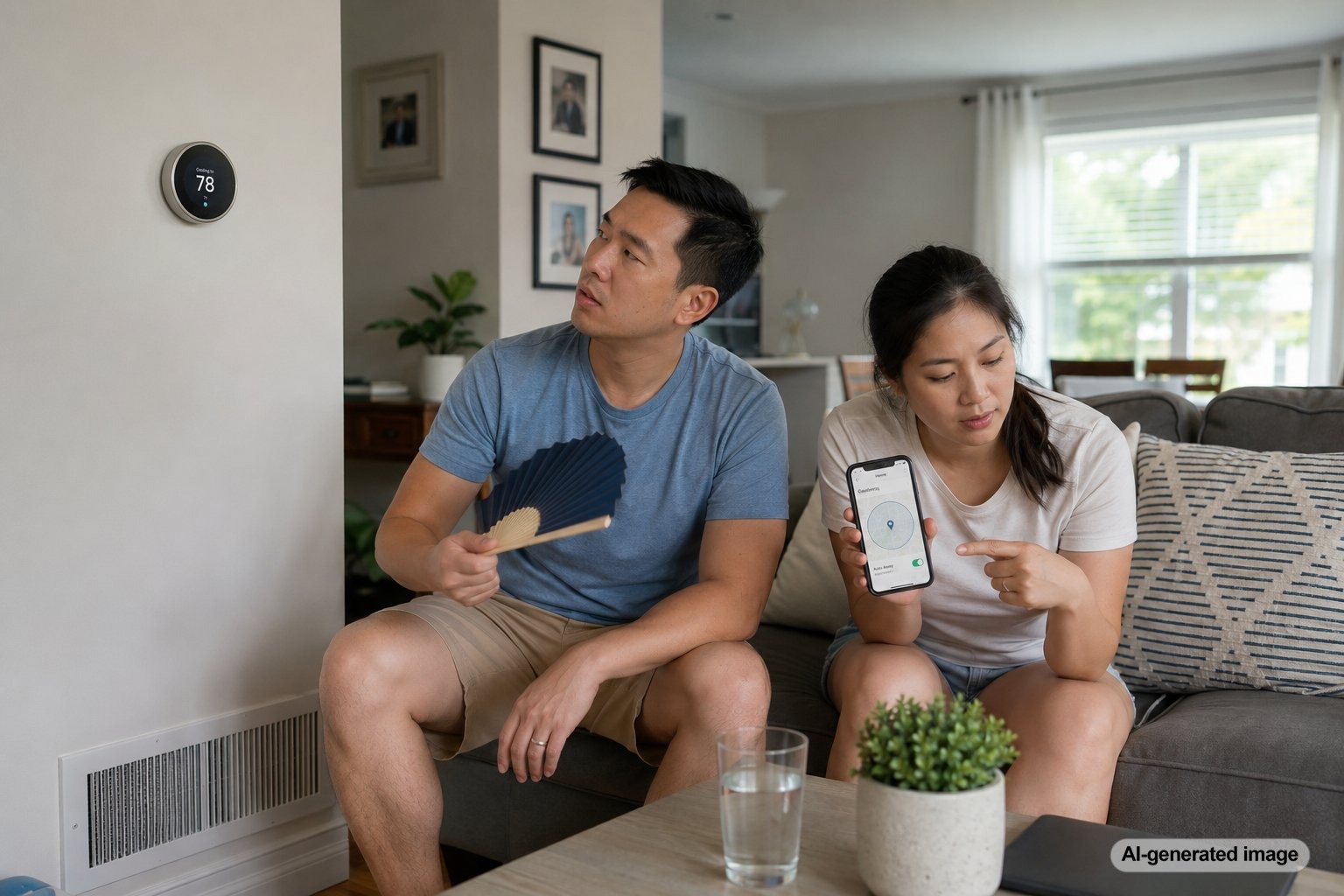
Geofencing can make a smart thermostat more convenient by changing the temperature when your phone leaves or returns to a defined area. During a New Jersey summer, however, aggressive geofencing settings can allow indoor heat and humidity to build while the house is empty. When you return, the AC may need to run for a long time before the home feels comfortable again.
The problem is not necessarily that geofencing is unreliable. It is often that the location radius, away temperature, recovery timing, phone permissions, or HVAC system capacity do not match the way the household actually comes and goes. Reviewing those details can make the feature more useful without sacrificing comfort.
Geofencing thermostat settings can cause summer comfort issues when the thermostat raises the temperature too far, waits too long to begin cooling, misreads whether someone is home, or asks the AC to recover during the hottest part of the day.
- A large temperature setback can create a long recovery period.
- Indoor humidity may rise while cooling is reduced.
- Phone location permissions can cause incorrect home or away status.
- Multiple occupants can make one-phone geofencing inaccurate.
- An AC system with airflow or maintenance problems may recover especially slowly.
How Geofencing Thermostat Control Works
A geofencing thermostat uses the location of a connected phone to determine whether someone is near the home. When the phone leaves the selected radius, the thermostat may switch to an away temperature. When the phone reenters the area, the thermostat can resume the normal comfort setting.
This differs from a fixed schedule because the change is tied to movement rather than a specific time. It can work well for households with unpredictable routines, but it depends on accurate location data and carefully selected temperature limits. Homeowners comparing smart controls can review Meyer & Depew’s information about thermostat options.
Why the House May Feel Too Warm When You Return
The most common issue is an away temperature that is set too high. Raising the thermostat several degrees can reduce cooling while the house is empty, but the walls, furniture, upper floors, and attic-facing rooms continue absorbing heat. The thermostat may display the desired temperature before all those surfaces have cooled, leaving the house feeling warmer than expected.
Recovery can be especially slow in the late afternoon, when outdoor temperatures and solar heat gain are often near their peak. The AC must remove newly entering heat while also addressing the heat that accumulated indoors. A setting that works well on a mild day may feel inadequate during a humid July afternoon.
Humidity Can Remain High Even After the Temperature Drops
Air conditioning does more than lower the temperature. It also removes moisture while operating. If geofencing reduces cooling for several hours, indoor humidity may increase. When the thermostat returns to the normal setting, the temperature can fall faster than the moisture level.
This can create a cool but clammy feeling. Basements, bedrooms with limited airflow, rooms over garages, and upper floors may be more noticeable. A thermostat setting alone cannot correct every humidity problem, but smaller setbacks and steadier cooling may help prevent large swings.
The Geofence Radius May Be Too Small
A small geofence radius may not give the system enough time to prepare the house before you arrive. If the thermostat does not leave away mode until your phone is only a few minutes from home, the AC may just be starting when you walk through the door.
Expanding the radius can give the system an earlier start. The best distance depends on commuting patterns, traffic, system capacity, insulation, and the size of the temperature setback. A longer drive home does not automatically mean a larger radius is always better, since frequently passing near the boundary can trigger unnecessary changes.
Phone Settings Can Cause Incorrect Home and Away Status
Geofencing depends on the phone consistently sharing location information with the thermostat app. Battery-saving settings, disabled background activity, weak location accuracy, or revoked permissions can prevent timely updates. The thermostat may continue treating the house as empty even after someone has returned.
Start by confirming that location access is enabled for the thermostat app and that the app is allowed to operate in the background. Also verify that the thermostat itself has a stable internet connection. These are safe checks that do not require opening or modifying HVAC equipment.
One Phone May Not Represent the Whole Household
Geofencing can become confusing when several people live in the home. A thermostat linked only to one phone may enter away mode when that person leaves, even though another family member is still inside. The opposite can also happen if a rarely used phone remains at home and prevents away mode from activating.
Review which household members are included in the location automation. Guests, children without connected phones, caregivers, remote workers, and changing work schedules can all affect whether geofencing accurately reflects occupancy.
Large Setbacks Can Work Against Efficient Recovery
Many homeowners assume that a larger temperature setback always produces better results. In practice, an aggressive setback can create a long period of high cooling demand when the system restarts. The AC may run continuously during the hottest part of the day, and comfort may not return until well after the household arrives.
A more moderate away setting often provides a better balance. The ideal adjustment varies by home, equipment, insulation, humidity, and personal comfort. Track how long the house takes to recover on hot days, then reduce the setback if recovery is consistently too slow.
Geofencing Can Expose Existing HVAC Problems
A properly operating system should be able to recover from a reasonable setback, although recovery will not be immediate. If cooling takes unusually long, some of the problem may be unrelated to the thermostat. A dirty filter, blocked return, closed supply vents, weak airflow, dirty outdoor equipment, duct leakage, or an aging AC system can make recovery more difficult.
Geofencing may simply make the weakness more noticeable because it creates a concentrated cooling demand. If the system struggles even with modest thermostat changes, professional AC service and maintenance may be appropriate.
Safe Thermostat and Airflow Checks
- Confirm that the thermostat is in cooling mode and the temperature setting is correct.
- Review the away temperature and reduce an unusually large setback.
- Increase the geofence radius enough to allow reasonable recovery time.
- Check location permissions and background app access on each connected phone.
- Make sure the correct household phones are included in occupancy detection.
- Inspect or replace the air filter if it is dirty.
- Make sure supply vents and return grilles are open and not blocked.
- Look for obvious leaves or debris restricting airflow around the outdoor unit.
Avoid repeatedly lowering the thermostat far below the desired temperature. That does not make most systems cool faster. It can instead cause longer operation and make it harder to evaluate whether the geofencing adjustment helped.
When to Call an HVAC Professional
Schedule professional service if the home remains uncomfortable after the geofencing settings are adjusted, the AC runs for long periods without reaching the set temperature, airflow is weak, rooms cool unevenly, or the system cycles on and off unusually often. These symptoms can have several causes, so a specific equipment failure should not be assumed without an evaluation.
A qualified technician can check system operation, airflow, thermostat configuration, temperature differences, and whether the cooling system is properly matched to the home’s needs. This is especially useful when a smart thermostat was recently installed or when comfort problems appeared after changing automation settings.
Frequently Asked Questions
Should I turn off geofencing during a heat wave?
Not necessarily. Start by using a smaller setback and allowing more recovery time. A fixed schedule may be easier to manage temporarily if household routines are predictable or location detection is unreliable.
How far should the geofence radius extend?
There is no single distance that works for every home. Choose a radius that gives the AC enough time to begin cooling before arrival without triggering frequent changes when someone passes near the area.
Why does my thermostat say the temperature is correct when the house still feels warm?
The air near the thermostat may have reached the set temperature while warmer walls, furniture, upper floors, or humid rooms continue affecting comfort. Airflow and thermostat placement can also influence the reading.
Can geofencing increase humidity?
It can contribute to higher humidity if the away setting greatly reduces AC runtime. The effect depends on outdoor humidity, the home’s air leakage, system performance, and the length of time cooling is reduced.
Does a smart thermostat make an older AC system cool faster?
No. A smart thermostat can improve control and scheduling, but it cannot increase the cooling capacity of the equipment. Existing airflow, maintenance, sizing, or performance problems may still need professional attention.
Geofencing works best when the away temperature, location radius, phone permissions, and household occupancy settings are matched to the home’s actual cooling needs. Moderate adjustments can reduce long recovery periods and help maintain more consistent summer comfort.
Need help with your heating, cooling, or HVAC system?
Meyer & Depew serves homeowners and businesses throughout Central and Northern New Jersey.
Get a quote or call 908.272.2100.